











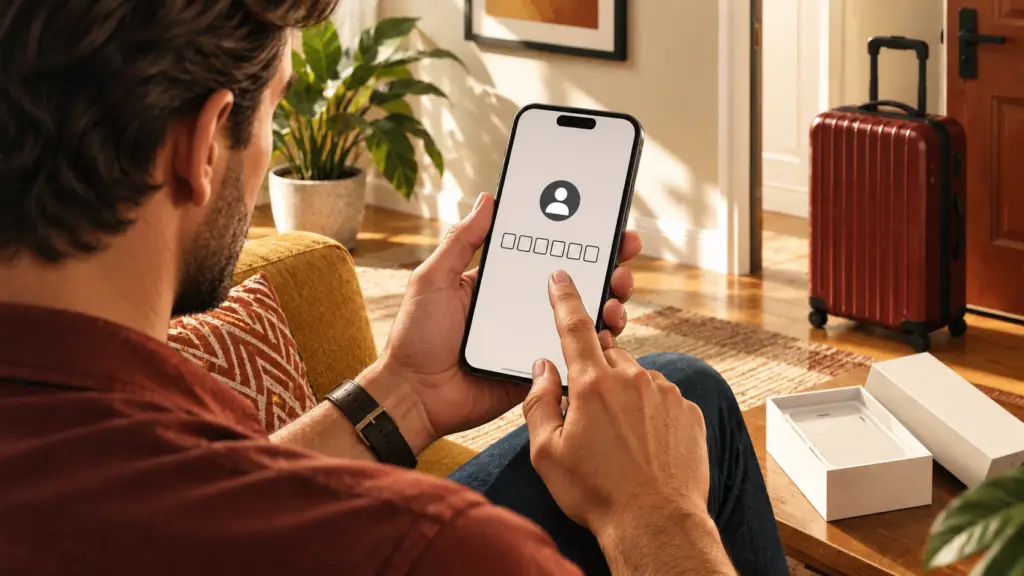
A new phone can have all the familiar apps installed while a casino or airline account still needs something from the old device. You may have the password ready to go, but that doesn’t necessarily mean you can finish signing in. The account might still need a 2FA code or access to the email address tied to it. Before getting rid of the old phone, make sure those pieces work on the new one too.
Don’t forget about casino accounts or travel programs you don’t use very often, since those are usually the ones with login details you’re less likely to remember. Just seeing the app installed on the new phone isn’t enough; the real test is whether you can actually sign in to the account.
With two-factor authentication, often shortened to 2FA, a password is paired with another verification step, such as a code from an authenticator app. Copying a code from the old phone won’t actually move the account’s 2FA setup to the new one. The authenticator app needs the saved account information that lets it keep generating new codes.

That means your casino password and your authenticator setup are two separate things to verify, even if you normally use them together. For casino accounts and travel programs, the easiest way to know everything transferred correctly is to make sure you can complete the entire login process on the new phone, including any extra verification step.
Check the Casino Account’s Recovery Route
A casino account’s reset process may also depend on access to its registered email address. Check that address while you can still open the account, then read the instructions for replacing an unavailable authentication method. The reset instructions for Lucky Rebel describe entering a username and password, using a temporary emailed code to reset 2FA, and then enabling it again. To complete the new setup, scan the supplied QR code or enter the setup key in the authenticator, then confirm with its six-digit code. The email code authorizes the reset; the authenticator code confirms the replacement setup.
If the mailbox itself requires a code from the old phone, include that email account in the transfer. Otherwise, a casino recovery route that depends on email still depends on the device you are replacing. Confirm that the mailbox opens on the new phone and receives new messages before treating it as an available recovery method.
Transfer While Both Phones Are Available
Keep the old phone nearby while you move everything over. Start by making sure you can access your email and password manager on the new phone, then work through your casino accounts and travel programs. Doing those first gives you the login and recovery tools you may need for everything else.
If your password manager asks for its own verification when you open it on the new phone, make sure that works too. Having a casino password saved there doesn’t help much if you can’t get into the password manager itself, so treat that as part of the transfer process just like your email.
For each casino account, check three things:
- Make sure the username and password are available on the new phone. If you use a password manager, confirm you can open it and find the right login.
- Follow the authenticator app’s transfer instructions. Depending on the app, that may mean syncing, restoring from a backup, or exporting and importing your saved accounts.
- Check that the casino account actually appears in the authenticator on the new phone and that you’re using the correct entry when you sign in.
For example, if the casino password is in your password manager but the authenticator app is empty, only part of the transfer is finished. The password made it over, but the 2FA setup did not. As long as you still have the old phone, use the authenticator app’s transfer process and keep the casino account’s recovery instructions handy in case you need them.
If the Old Phone Is Unavailable
First, check whether your authenticator app had a backup or sync feature enabled before the old phone became unavailable. If it did, follow the app’s recovery steps to restore your accounts. Simply reinstalling the authenticator app on a new phone doesn’t mean your old codes will automatically come back.
If you can’t restore the codes, you’ll need to use each account’s recovery process instead. For casino accounts, make sure you’re following the instructions for resetting 2FA, not just changing the password. A new password won’t help if the missing piece is still the authentication code, so use the recovery option for the part of the login process you can no longer access.
Travel programs have their own requirements, so read these carefully.
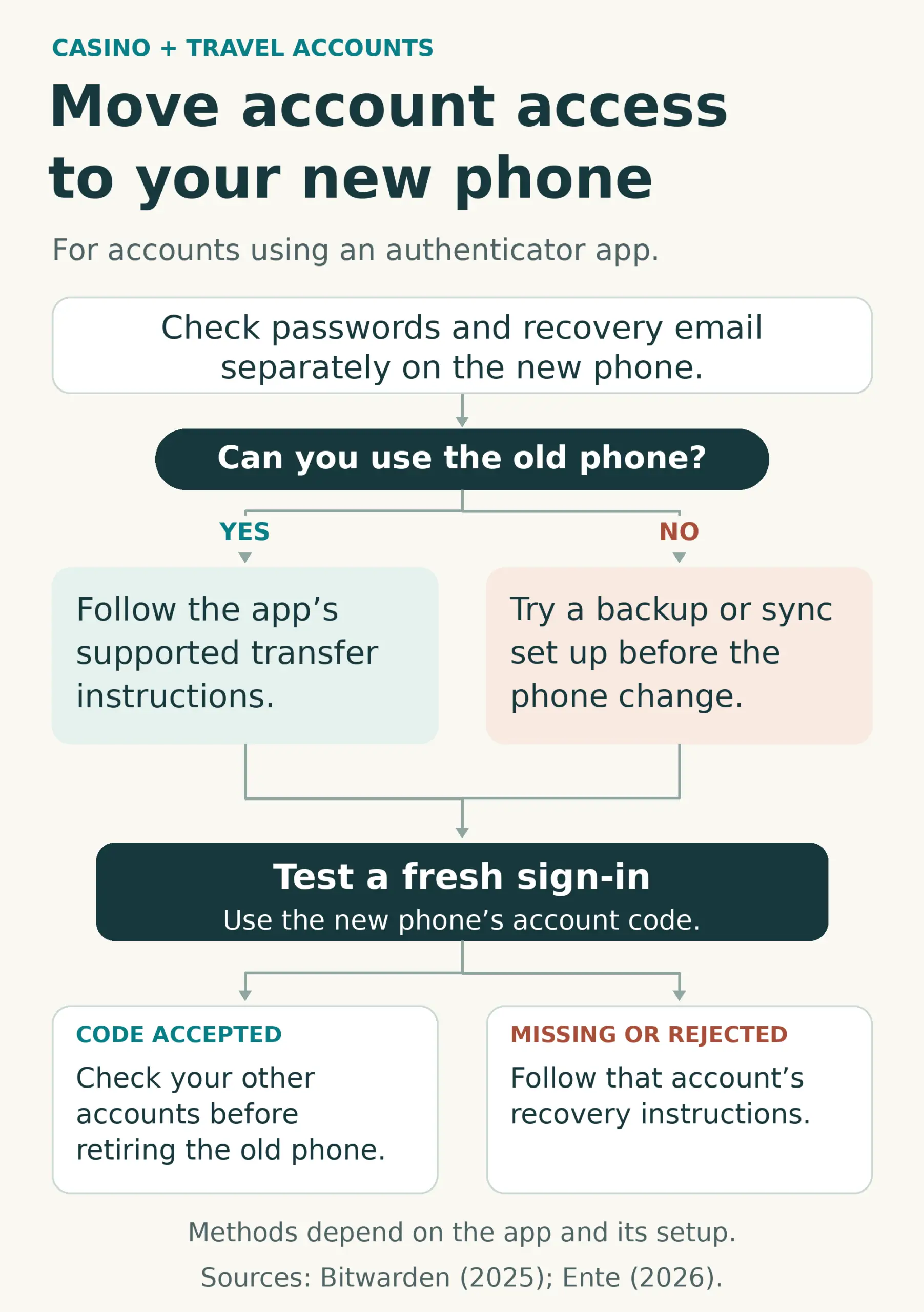
Miles & More says its self-service device-change process requires access to the existing device or authentication app. Without that access, its instructions direct members to the service team. An email-based reset available for one account therefore should not be assumed to exist for another.
Test a Fresh Sign-In
Ente’s transfer guidance recommends checking that authentication works before erasing data from the old phone. Apply that check to the accounts you need, including the casino login and its recovery mailbox. Complete a fresh sign-in on the new device and respond to the verification prompts presented by the service.
Having an account already open on the old phone doesn’t necessarily mean you’ll be able to sign in again on the new one. If the account uses an authenticator app, make sure the correct code appears on the new phone and that the service accepts it. For a casino account, that simply means confirming you can log in successfully; there’s no need to make a wager or complete any other transaction.
It’s also a good idea to keep a list of any accounts that still need recovery or a new authentication method set up. Once the accounts you want to keep can be accessed fully from the new phone, without relying on a code or email account that only works on the old device, you can safely retire the old phone.
JOIN OUR NEWSLETTER
You’ll get insider updates, deals , commentary and “what’s up”
2x a month with no spam ever.
Sign up-> HERE
GET MORE from TRAVELZORK
Book Travel with: TravelZork Travel
Stay up to date with: ZorkFest
Join the TravelZork FB Group -> HERE
Also: Watch, Like, and Sub on YouTube
Check it out: The Yo-11 Minutes Playlist on YouTube
Freelance Travel writer from New Jersey, Tony "The Postcard" Badalemente got his nickname from his long-standing habit of mailing handwritten postcards to editors, colleagues, and even strangers he meets on the road—each one stamped with his signature looping handwriting and a story too candid to fit in print.